The scoreboard for your padel court.
Pingu Padel keeps score, hangs sideways on the wall and runs your Americano through its two hours. A native iOS app by Pingu Solutions – free, no account, no network.
The scoreboard
One iPhone on the wall, and everybody sees the score.
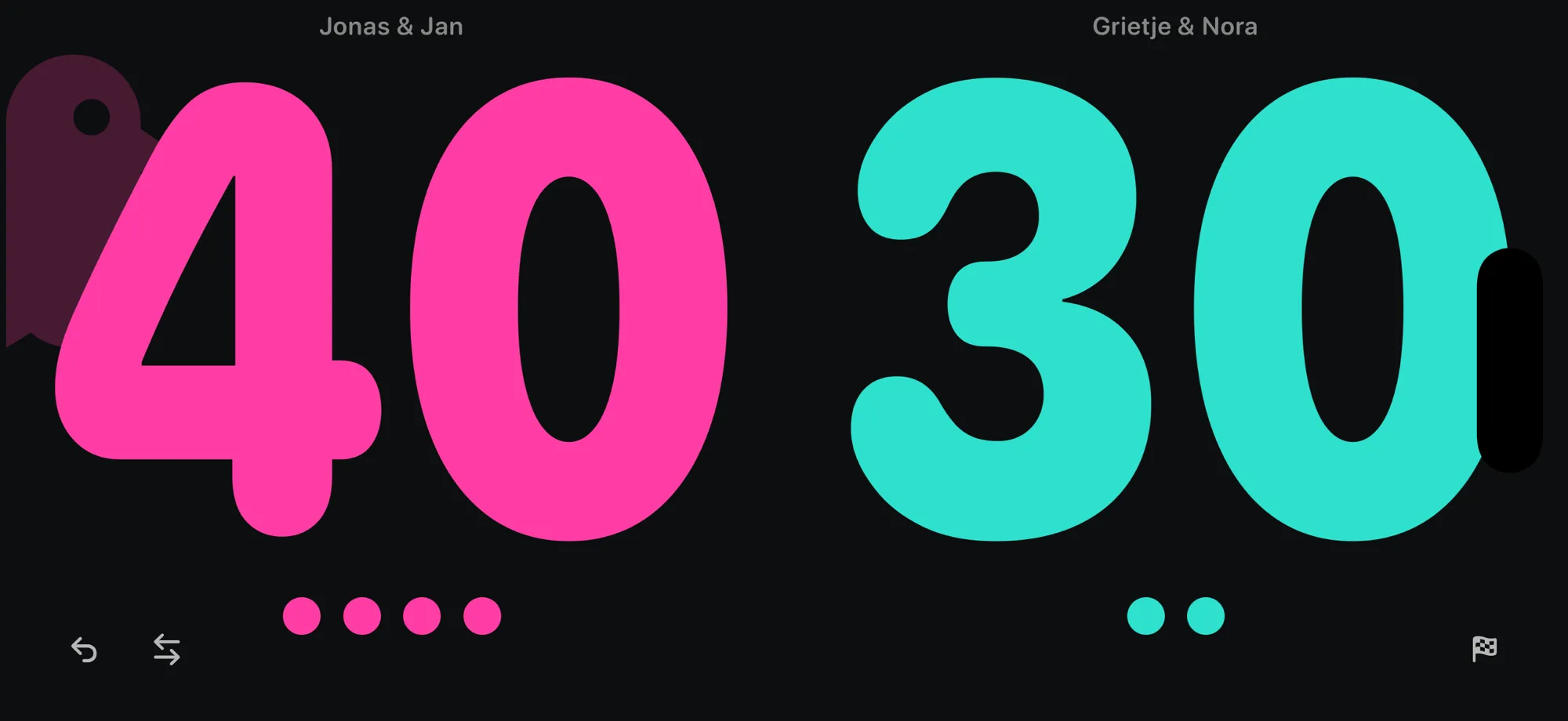
Turn the phone sideways and the app becomes a scoreboard: black ground, two numbers filling half the screen each, magenta on the left and turquoise on the right. The colour belongs to the side, not to the team – teams change ends after every set, and whoever stands on the left counts on the left. Menu and status bar are gone; turning the phone back is the way out.
Landscape shows, portrait operates
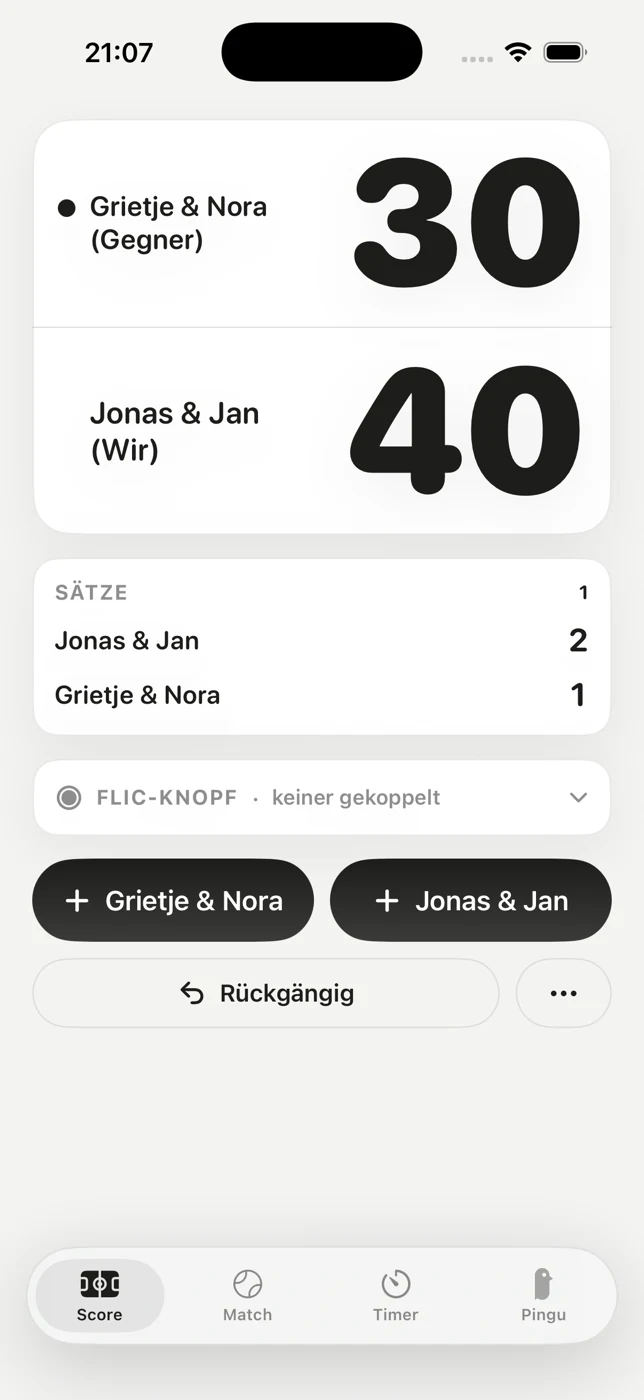
These are two screens, not one in two sizes. Sideways, the phone hangs on the wall and shows nothing but the score. In your hand the app is light: the board at a calm size, the sets as their own table, two point buttons, undo, and a menu for team names, changing ends and finishing the match.
-
Games as dots
Below each number sits one dot per game won in the current set. Nobody reads a 4 from ten metres away – but four dots against three is obvious at a glance.
-
The yellow dot is the ball
It sits next to the name of the serving team and moves on with the rotation. Yellow, because a white dot on black disappears next to the digits.
-
Undo is exact
Only the sequence of point winners is stored. Score, games, sets and serve are recalculated from it every time – which is why undo is right even across game, set and tie-break boundaries. There is no derived state that could drift apart.
-
The screen stays on
While a match is running the display never sleeps – in either orientation. A scoreboard that goes dark after a minute is useless.
-
Counting takes a double tap
One tap on a half deliberately isn't enough: the device hangs on the wall and gets brushed in passing. An accidental point would annoy you more than one extra tap.
-
Name the teams, swap the sides
Two real names instead of „us“ and „them“. And if you're on the wrong half, one button flips the display – mid-match, without points, sets or serve noticing.
-
The score survives everything
Switching tabs, restarting, force-quitting. A match is only ever discarded by hand, and even then only after a confirmation.
-
Full padel rules
0 – 15 – 30 – 40, a set over six games with a two-game lead, a seven-point tie-break at 6–6, the match over three sets – by FIP rules.
-
Best of 3 doesn't mean over at 2–0
The third set often gets played anyway. Left alone, the match ends only after three sets; you can finish it whenever you like.
What happens at 40–40 is your choice, made beforehand.
Three rules, picked before the first point. The board then says which one applies – so nobody expects a point too early or too late.
-
Default
Golden Point
A single point decides the game.
-
Classic
Advantage
Advantage, then game or back to deuce – as often as it takes.
-
Capped
Star Point
At most two advantages: deuce, advantage, deuce, advantage, deuce – and the next point decides.
Set won
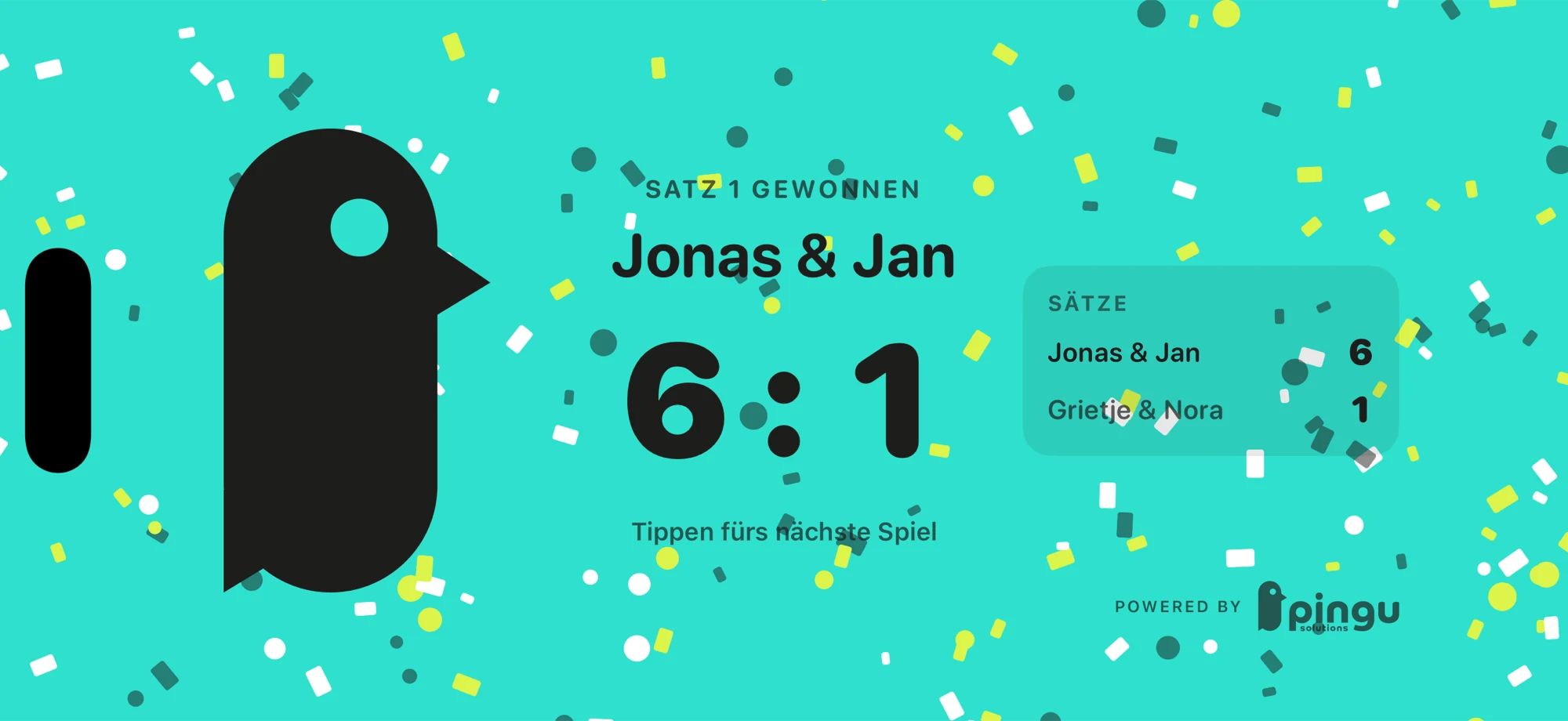
Confetti after every set.
A set won used to be invisible: the score simply jumped back to 0–0 and nobody on court noticed. Now a full-screen celebration covers the display – in the colour of the half the winner stood on – and stays until somebody taps. After the last set it celebrates the match instead of the set.
-
The colour belongs to that set
Teams change ends after a set – the celebration still shows the colour of the half the winner stood on during that set. Otherwise it would arrive in the opposite colour, and on court that looks like a scoring error.
-
It waits for you
No timer fades it away: one tap and the next game is on. Counting a point during the celebration ends it – and the point still counts, because a point that was played must not disappear.
-
Exactly once per set
The match itself remembers which set has been celebrated. Glancing at the timer running alongside therefore doesn't bring the celebration back.
Flic button
Count without walking to the phone.
A phone on the wall only counts if somebody walks over and double-taps it. Nobody does that mid-rally – and by the end the score is wrong. A Flic button sits on the net post or in your pocket and counts along.
- Press oncePoint for us
- Press twicePoint for them
- Press and holdUndo
-
The mapping is fixed
There is no switch. An unlabelled button whose mapping can also be changed is a guessing game on court – and whoever hands it to the other pair just presses twice.
-
Even with the phone locked
The button keeps counting while the iPhone hangs locked on the wall. And it keeps counting for the same team even after the sides have swapped on the board – a button whose meaning flips halfway through would be worse than none at all.
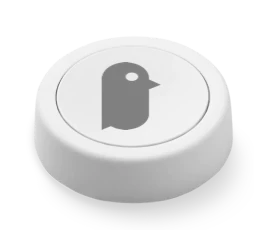
The Flic is a Bluetooth button made by Shortcut Labs. It is not included, you buy it separately and pair it in the app. Everything else works exactly the same without it.
Apple Watch
Three buttons on your wrist.
Point for us, point for them, undo. The two point buttons take the lion's share of the space – on a wrist what matters is hitting them without looking. The score sits small above them. Starting and discarding a match happens on the phone only; the watch counts.
-
There is nothing to connect
iPhone and watch are already paired, and the app uses exactly that pairing. No server, no account, no pairing screen, no network connection.
-
Both sides keep counting
If the other side is out of reach, each keeps counting on its own; at the next contact the newer state wins. What travels is always the whole match, never a single point – so a lost message cannot corrupt anything.
Americano timer
Two hours that run themselves.
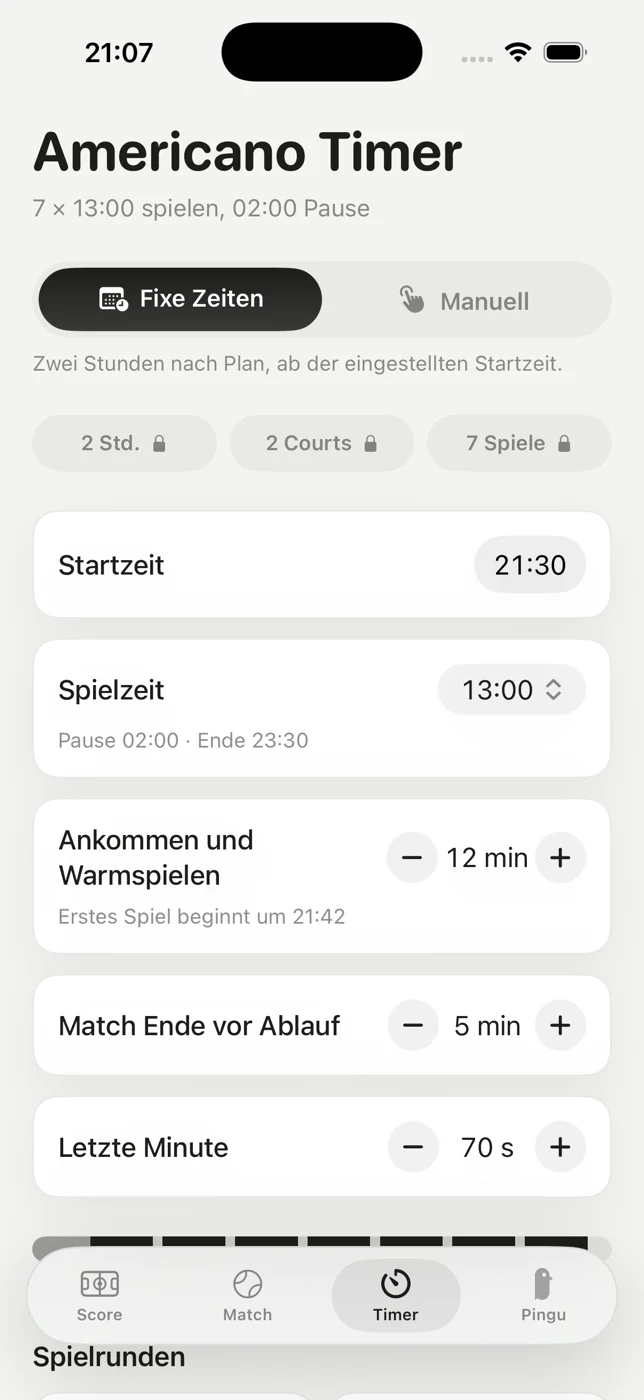
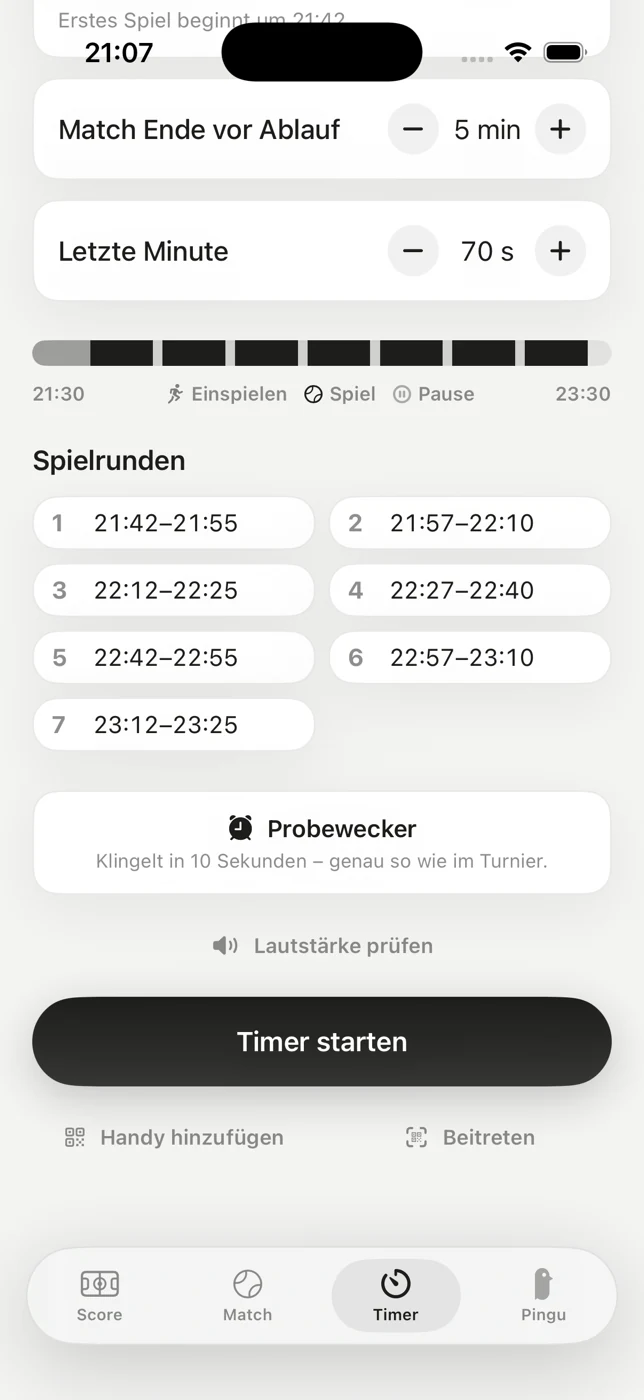
Two hours, two courts, seven games – the fixed format of an Americano. You set the start time, and everything else follows from it: game length, breaks, the seven rounds with their clock times, and the eight alarms in between.
-
Real alarms, not playback
The signals are system alarms. They break through the silent switch and Focus and still ring long after the app has closed. An app that plays audio itself gets suspended by iOS after a few minutes in the background – on court, exactly the kind of failure nobody notices in time.
-
The test alarm
A real alarm ten seconds into the future, with the same sound as the real thing. It tests the whole chain in ten seconds instead of two hours.
-
The clock time is the anchor
If it says 21:30, the first game starts at 21:42 – whether you pressed start at 21:07 or at 21:35. Press later and you join mid-schedule. That is why two devices necessarily tick alike.
-
On the lock screen
The current phase sits with a countdown on the lock screen and in the Dynamic Island. The phone can stay in your pocket; a glance is enough.
-
Mute yes, pause no
The alarms can be cancelled while the schedule runs on. Pausing would shift everything after it and give up the anchor; if you want to start later, change the start time.
A second iPhone
Two courts, one beat.
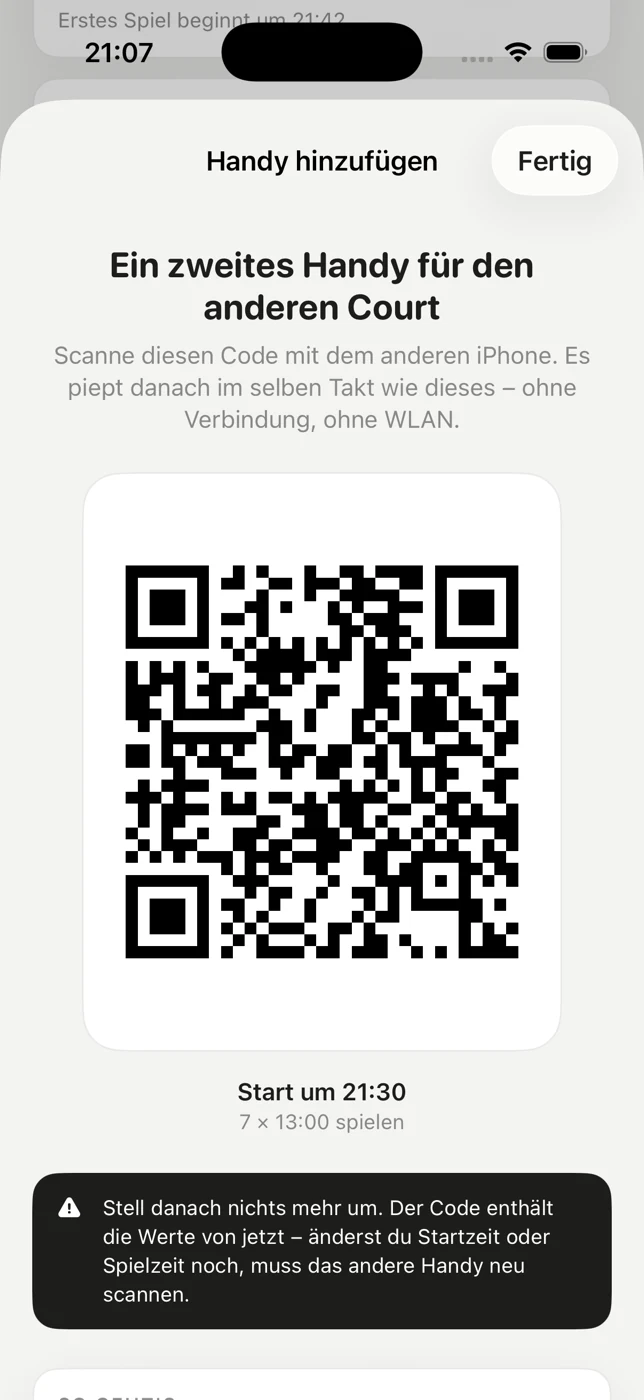
A phone on one court can't be heard on the other. So you bring in a second one: show the QR code, scan it with the other device, done. Both ring on the same second.
-
29 characters, no more
The transfer happens exactly once – start time, warm-up, buffer, final minute and game length. From those five values each device works out the same schedule for itself and sets the same alarms for the same clock times.
-
No live connection
There is no channel that could drop and no server in between. The in-app scanner resolves nothing – which is why it also works where there is no reception on court.
-
Show it, then change nothing
The code carries the values from the moment it was shown. Change the start time or game length afterwards and it has to be scanned again – the app says so at exactly that point.
Americano tournament
Eight people, seven rounds, no fixed partner.
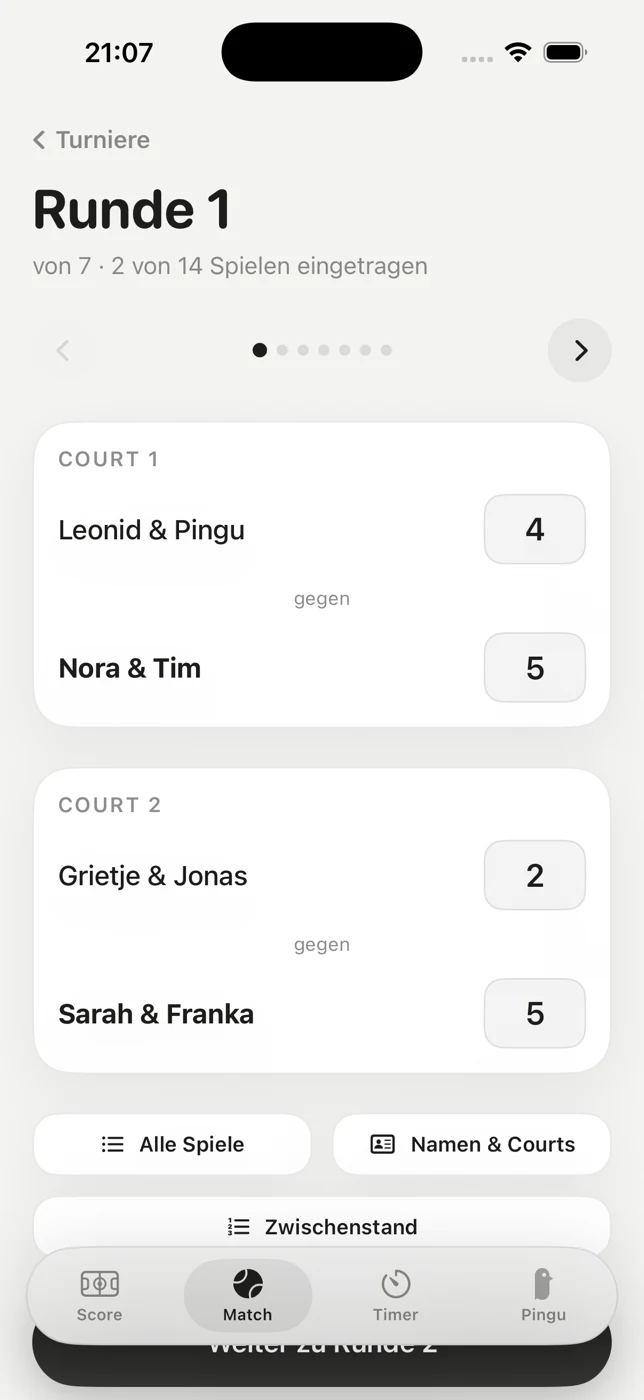
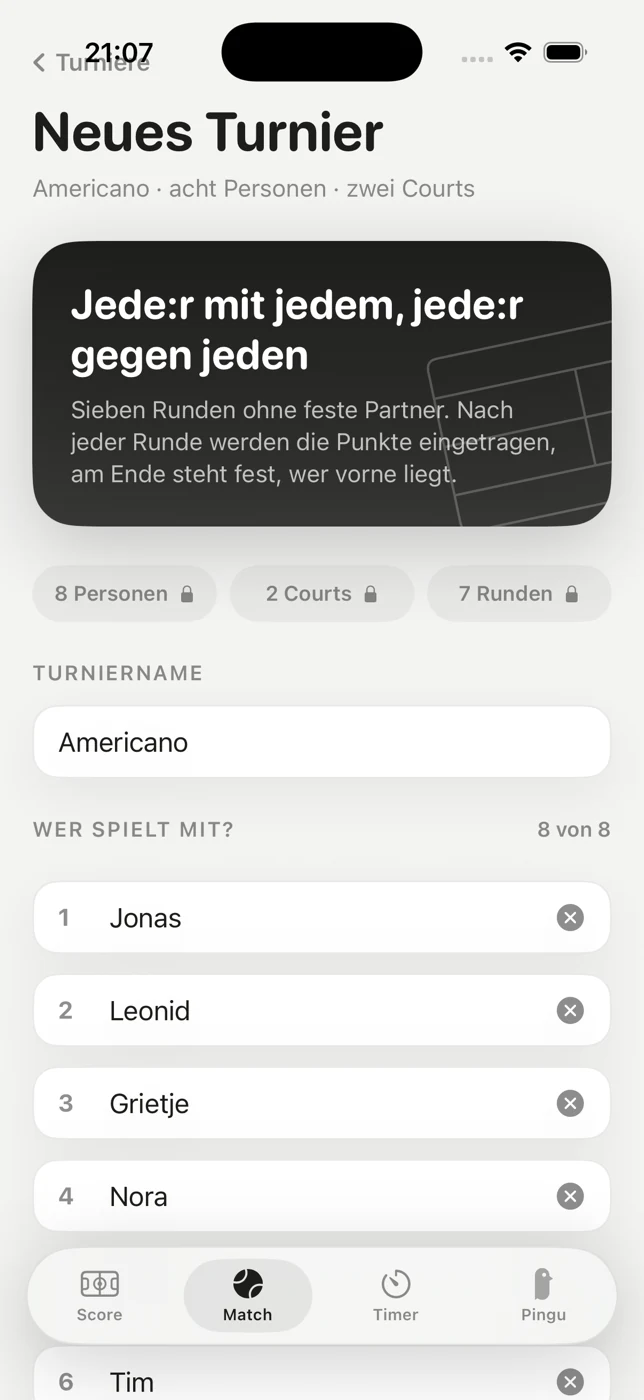
Eight people, two courts, seven rounds. Every round is drawn afresh – an Americano has no fixed pairs.
- 8People
- 2Courts
- 7Rounds
- 14Games
-
The draw is the optimum
Across the seven rounds everyone plays exactly once with everyone else and exactly twice against everyone else. With eight people it cannot get better: seven rounds, seven possible partners. Reshuffling moves the seats, not the matches – which is how both properties survive every shuffle.
-
Enter points, read the table
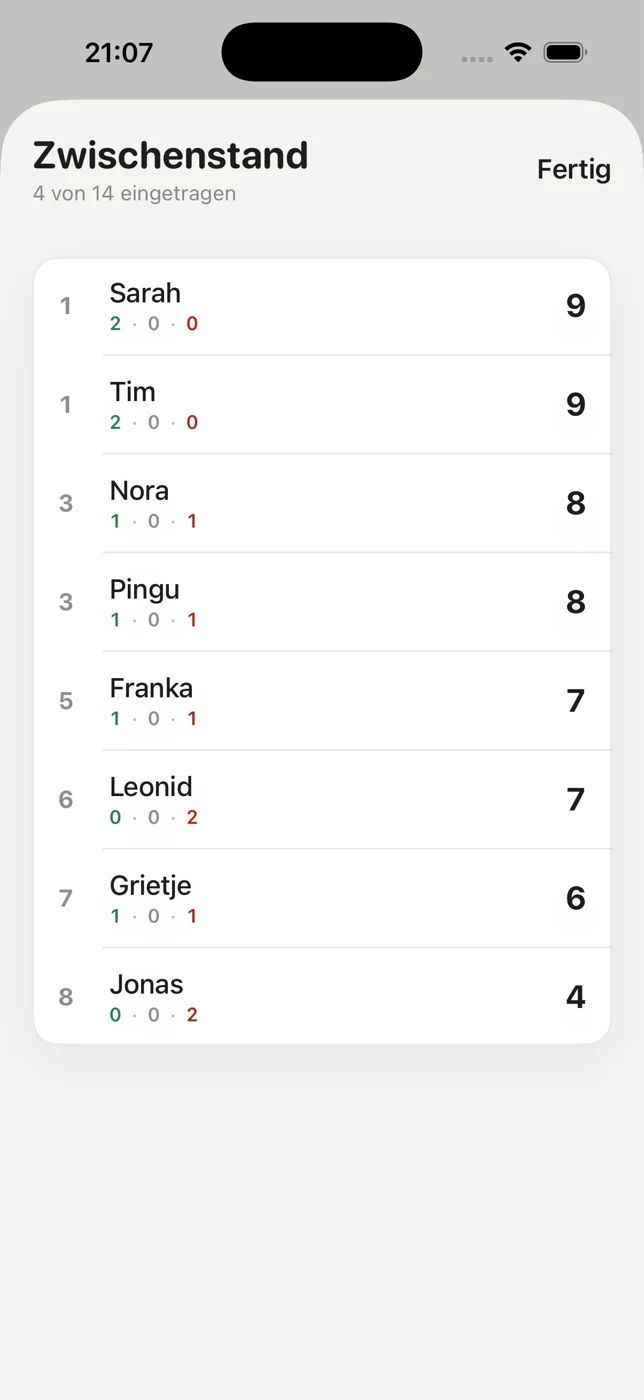
One number per game and team; both players of a team are credited with it. Sorting is by points, then by wins, then by draws. No bonus points – so a shared win is a possible outcome.
-
Prepare the night before
A tournament can be created as a draft and is waiting on the day with all eight names in place. Names can be changed mid-tournament too: the draw and the points belong to the people, not to their names.
-
Tournaments stay put
Played tournaments stay in the overview, split into active and finished, with all fourteen games in detail. Deleting only happens after an explicit confirmation.
Timer and tournament run side by side but are not coupled: the timer does not advance the round. That stays a manual step.
What Pingu Padel doesn't do
The best thing about the app is what's missing.
Not fine print but the way it is built: the app has no networking layer at all. It cannot transmit anything because there is nothing in it that could.
- No account, no sign-up, no email address.
- No tracking, no analytics, no ads.
- Everything stays on the device: score, tournaments, settings.
- Free – no subscription and no in-app purchases.
- German and English; you pick the language in system settings.
- iPhone and Apple Watch only, no iPad. The app is built for a phone hanging on a wall.
Availability
Coming to the App Store.
Pingu Padel is a native iOS app and close to release. As soon as it is on the App Store, the link will be right here.